
Strona główna › Przewodniki
Jak wyświetlić Google Zdjęcia na Samsung TV
Easy Photo Player zamienia Twój Samsung Smart TV w cyfrową ramkę na zdjęcia z Twoją biblioteką Google Zdjęć. Ten przewodnik przeprowadzi Cię przez konfigurację w mniej niż pięć minut. Na The Frame aplikacja działa tak samo, a matowy ekran szczególnie dobrze służy zdjęciom.
Czego potrzebujesz
- Samsung Smart TV (Tizen 2018 lub nowszy)
- Połączenie telewizora z internetem
- Konto Google ze zdjęciami w Google Zdjęciach
- Pilot Samsung
Krok po kroku
Otwórz sklep Samsung Apps
Naciśnij przycisk Home na pilocie i przejdź do Apps. Wyszukaj "Easy Photo Player".
Zainstaluj aplikację
Wybierz Easy Photo Player i zainstaluj. Pobieranie trwa około 10 sekund.
Otwórz aplikację i zanotuj kod łączenia
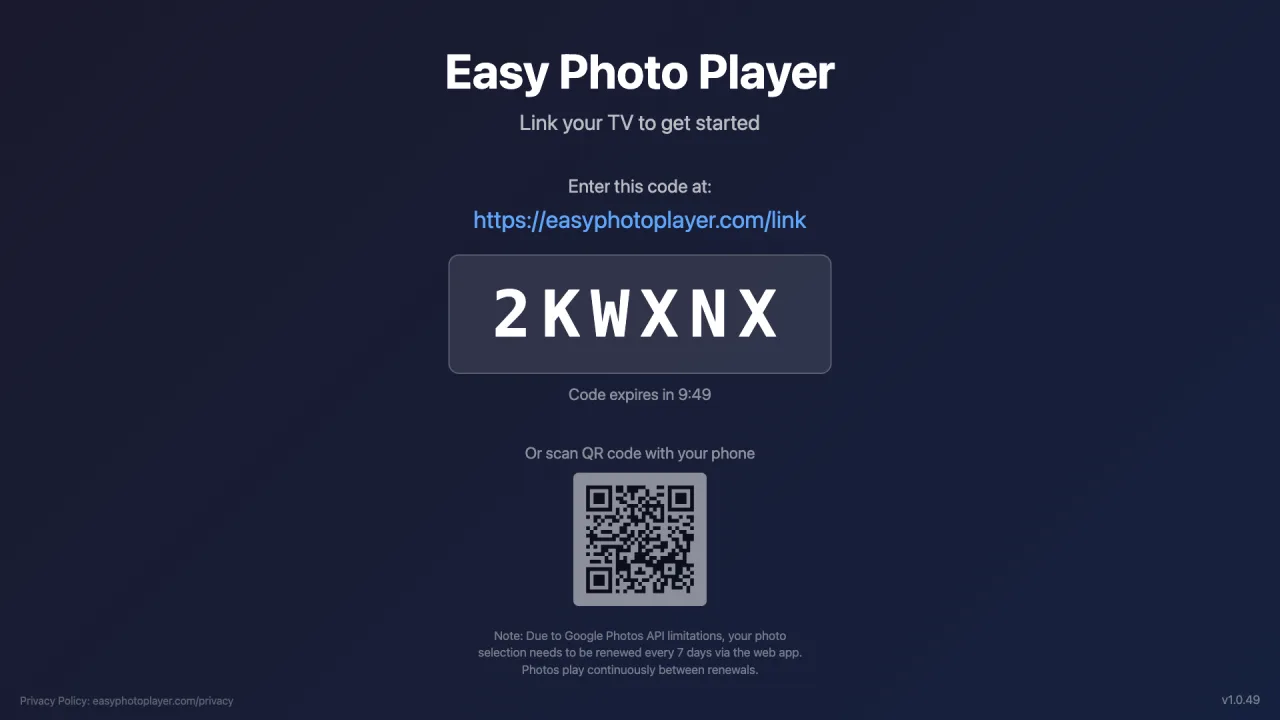
Uruchom Easy Photo Player. Na ekranie telewizora pojawi się sześcioznakowy kod.
Zaloguj się na easyphotoplayer.com/link
Na telefonie lub komputerze wejdź na easyphotoplayer.com/link, zaloguj się przez Google i wpisz kod z telewizora.
Wybierz zdjęcia
Wybierz zdjęcia i filmy do wyświetlenia. Natychmiast zaczną się odtwarzać na Twoim telewizorze.
Sterowanie odtwarzaniem
Regulowana szybkość pokazu slajdów
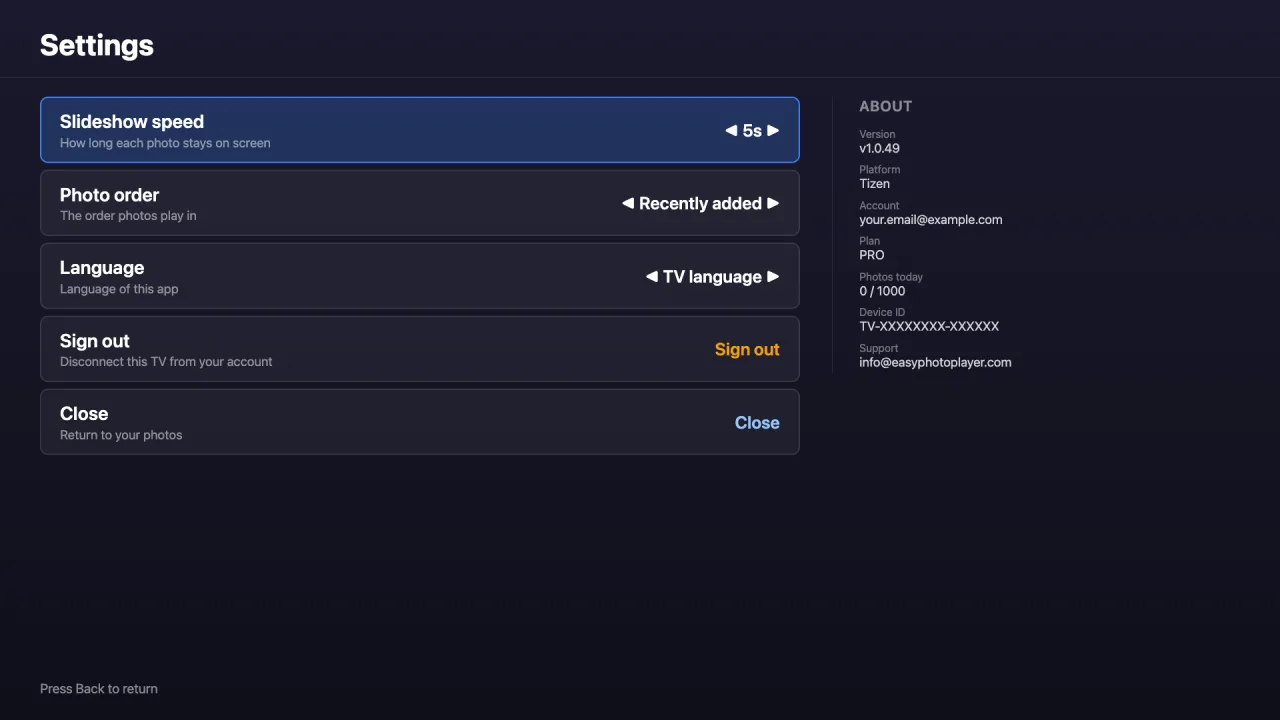
Wybierz, jak długo każde zdjęcie pozostaje na ekranie — 3, 5, 10, 15 lub 30 sekund — na ekranie Ustawień.
Przejdź do dowolnego zdjęcia
Wpisz numer zdjęcia na pilocie, aby przeskoczyć prosto do niego — nawet w dużej bibliotece.
Wyświetlana długość filmu
Podczas odtwarzania filmy pokazują swój całkowity czas trwania, więc zawsze wiesz, jak długi jest każdy klip.
Zgodne telewizory
Easy Photo Player działa na następujących modelach Samsung:
- Tizen 2018 i nowsze (większość modeli QLED, Frame, Crystal UHD)
- Rozdzielczość: HD, Full HD, 4K, 8K — wykrywana automatycznie
- Obecnie dostępny w sklepie Samsung Apps w Stanach Zjednoczonych
- Premiera światowa wkrótce — na razie tylko USA
Rozwiązywanie problemów
Nie możesz znaleźć aplikacji: Upewnij się, że region telewizora jest ustawiony na Stany Zjednoczone. Aplikacja jest obecnie dostępna na Samsung tylko w USA. Inne regiony wkrótce.
Kod łączenia się nie pojawia: Uruchom aplikację ponownie. Jeśli problem nie ustępuje, zrestartuj telewizor, przytrzymując przycisk zasilania przez 10 sekund.
Czarny ekran podczas pokazu slajdów: Niektóre modele Samsung mają problemy z akceleracją sprzętową wideo HEVC. Zdjęcia zawsze działają; filmy HEVC są automatycznie pomijane.
Najczęściej zadawane pytania
Czy Easy Photo Player jest darmowy na Samsung TV?
Tak, aplikację można zainstalować bezpłatnie i zawiera plan darmowy z 10 wyświetleniami dziennie. Plany płatne podnoszą limit: Basic (4,99 €/miesiąc) daje 500 wyświetleń/dzień, Pro (9,99 €/miesiąc) daje 1000 wyświetleń/dzień i obsługuje do 5 telewizorów.
Czy działa na starszych telewizorach Samsung?
Easy Photo Player wymaga Tizen 2018 (4.0) lub nowszego. Starsze Samsung Smart TV nie są obsługiwane, ponieważ ich wersja Chrome jest zbyt stara.
Czy mogę używać własnych zdjęć bez Google Zdjęć?
Obecnie aplikacja obsługuje tylko Google Zdjęcia. W przyszłości możemy dodać inne źródła zdjęć w oparciu o opinie użytkowników.
Gotowy na konfigurację swojego Samsung TV?
Zacznij w mniej niż pięć minut — bez dodatkowego sprzętu.
Połącz telewizor