Home › Guide pratiche
Come visualizzare Google Foto su Android TV
Easy Photo Player trasforma la tua Android TV in una cornice digitale che mostra le tue Google Foto come presentazione. L'app è gratuita da installare dal Google Play Store direttamente sulla TV — apri il Play Store sulla tua Sony, Hisense, TCL, Philips, Nvidia Shield, Chromecast con Google TV o qualsiasi altro dispositivo Android TV e cerca "Easy Photo Player".
Cosa ti serve
- Un dispositivo Android TV (TV, Nvidia Shield, set-top box)
- Una connessione Internet sul dispositivo
- Un account Google con foto in Google Foto
- Il telecomando della TV o di Android TV
Passo passo
Apri il Google Play Store sulla TV
Importante: l'app va installata direttamente sulla TV — non esiste un link web o un'installazione tramite QR. Dalla schermata home di Android TV, apri l'app Google Play Store e cerca "Easy Photo Player" con la tastiera su schermo. Cerca l'icona dello sviluppatore HD SofT.
Installa l'app
Seleziona Easy Photo Player dai risultati di ricerca e scegli Installa. Il download richiede pochi secondi. Al termine, scegli Apri — oppure torna alla schermata home di Android TV e trova Easy Photo Player nella riga delle app.
Apri l'app e annota il codice
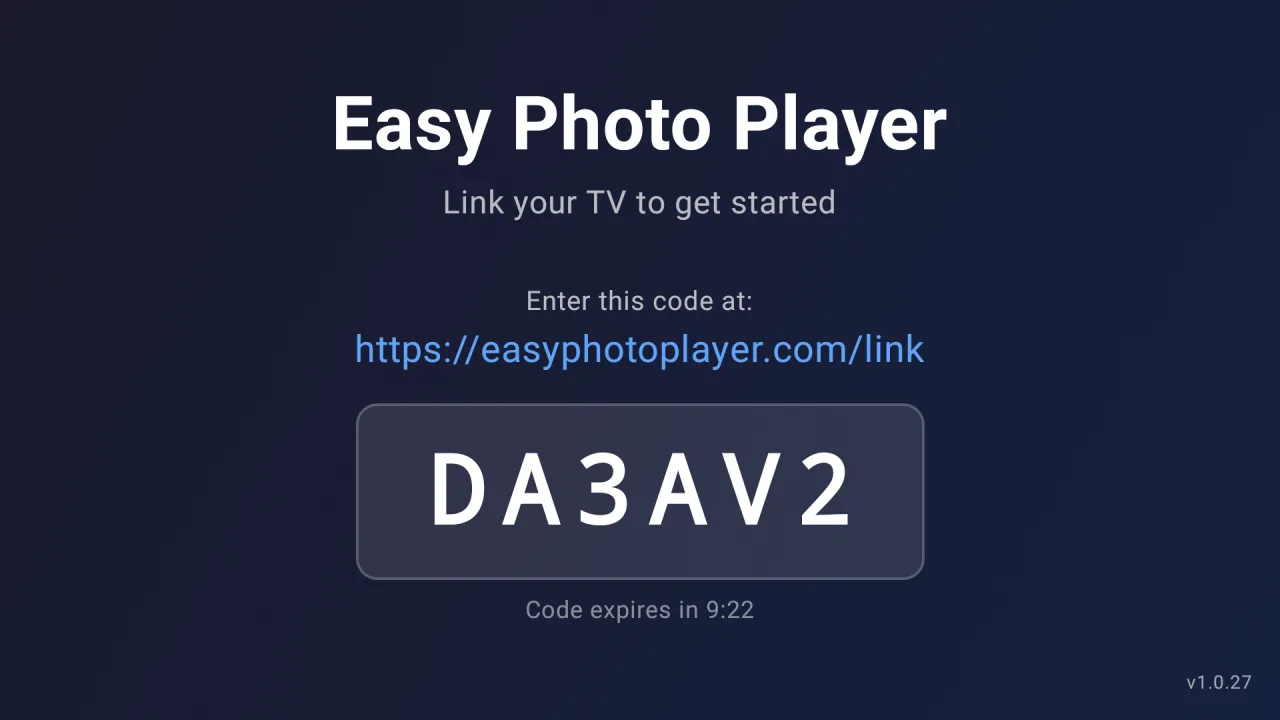
Avvia Easy Photo Player dalla riga delle app. Sullo schermo appare un codice di collegamento di sei caratteri.
Accedi sul web
Sul telefono o sul computer, vai su easyphotoplayer.com/link, accedi con Google e inserisci il codice.
Seleziona le tue foto
Scegli le foto e i video da mostrare. Iniziano subito a essere riprodotti sulla TV.
Controlli di riproduzione
Velocità della presentazione regolabile
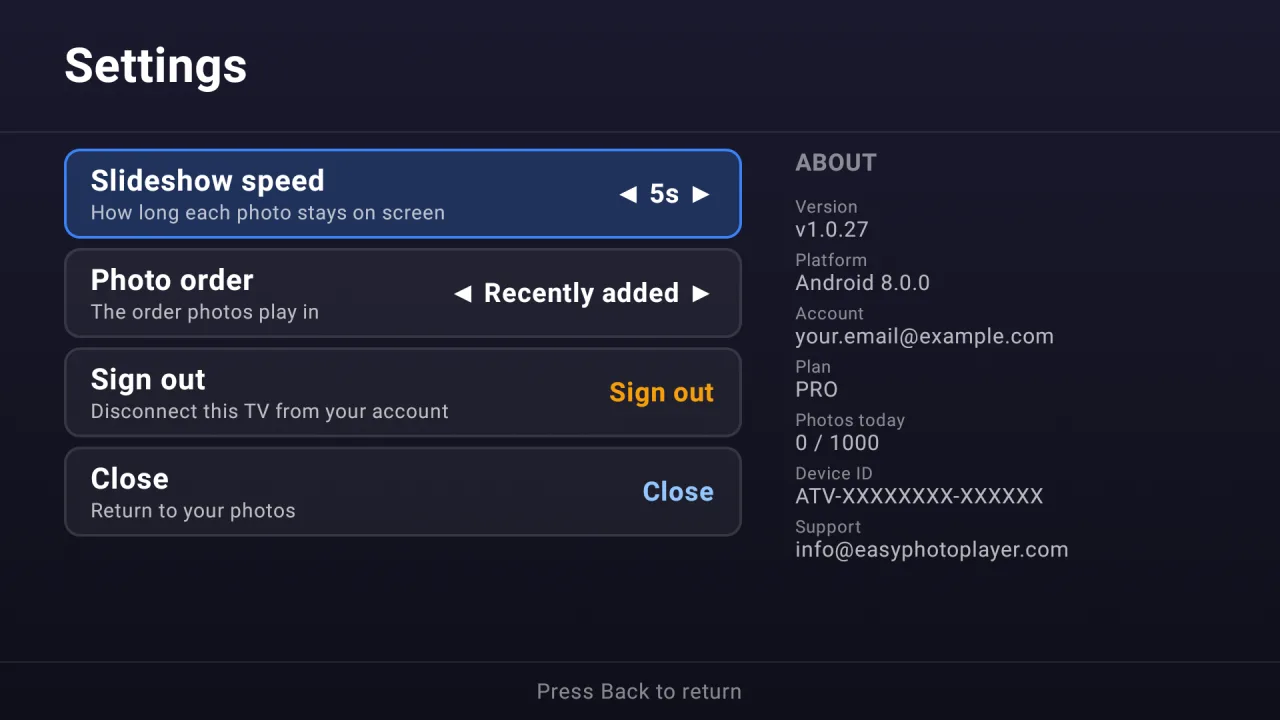
Scegli quanto a lungo ogni foto resta sullo schermo — 3, 5, 10, 15 o 30 secondi — dalla schermata Impostazioni.
Salta a qualsiasi foto
Digita il numero di una foto sul telecomando per passare direttamente ad essa, anche in una libreria molto grande.
Durata dei video visualizzata
I video mostrano la loro durata totale durante la riproduzione, così sai sempre quanto dura ogni clip.
TV compatibili
Easy Photo Player funziona sulla maggior parte dei dispositivi Android TV:
- Android TV 7.0 (Nougat) e successivi
- Sony Bravia, Hisense, TCL, Philips e altri marchi Android TV
- Nvidia Shield, Chromecast con Google TV, Mi Box, Xiaomi TV Stick
- Disponibile in tutto il mondo sul Google Play Store
Risoluzione dei problemi
Non trovi Easy Photo Player nel Play Store della TV: Cerca il nome esatto "Easy Photo Player" (sviluppatore: HD SofT) direttamente nel Play Store della TV — non sul telefono, nel browser web o con un codice QR. Assicurati che il dispositivo abbia Android TV 7.0 o successivo; le versioni Android TV più vecchie e l'Android per telefoni non sono supportati. Per telefoni e tablet, usa la web app su easyphotoplayer.com per gestire le tue foto.
Il codice di collegamento non appare: Riavvia l'app. Se i problemi persistono, svuota la cache dell'app da Impostazioni → App → Easy Photo Player → Svuota cache.
La presentazione si ferma dopo un po': Il piano gratuito è limitato a 10 visualizzazioni al giorno. Passa a Basic (4,99 €/mese) o Pro (9,99 €/mese) per rimuovere il limite.
Domande frequenti
Easy Photo Player funziona su Nvidia Shield?
Sì. Nvidia Shield usa Android TV ed è pienamente supportato da Easy Photo Player. Apri il Google Play Store sulla tua Shield e cerca "Easy Photo Player".
L'app funzionerà su Chromecast con Google TV?
Sì. Chromecast con Google TV è un dispositivo Android TV e può installare Easy Photo Player dal suo Google Play Store integrato.
Posso installare Easy Photo Player da un link web o dal mio telefono?
No. Easy Photo Player va installato direttamente sulla tua Android TV tramite il Google Play Store della TV — non esiste installazione tramite codice QR, link web né serve il sideloading. Non esiste nemmeno una versione dell'app per telefono o tablet; per gestire le foto dal telefono, usa la web app su easyphotoplayer.com dopo aver collegato la TV.
Pronto a configurare la tua Android TV?
Installa Easy Photo Player dal Google Play Store della tua Android TV, poi collega la TV qui sul web per scegliere le tue foto.
Collega la tua TV