
Home › How-to Guides
How to Show Google Photos on Samsung TV
Easy Photo Player turns your Samsung Smart TV into a digital photo frame using your Google Photos library. This guide walks you through the setup in under five minutes. The app runs the same way on The Frame, where the matte screen suits photographs particularly well.

What you need
- A Samsung Smart TV (Tizen 2018 or newer)
- An internet connection on the TV
- A Google account with photos in Google Photos
- The Samsung remote control
Step-by-step
Open the Samsung Apps store
Press the Home button on your remote and navigate to Apps. Search for "Easy Photo Player".
Install the app
Select Easy Photo Player and install. The download takes about 10 seconds.
Open the app and note the linking code
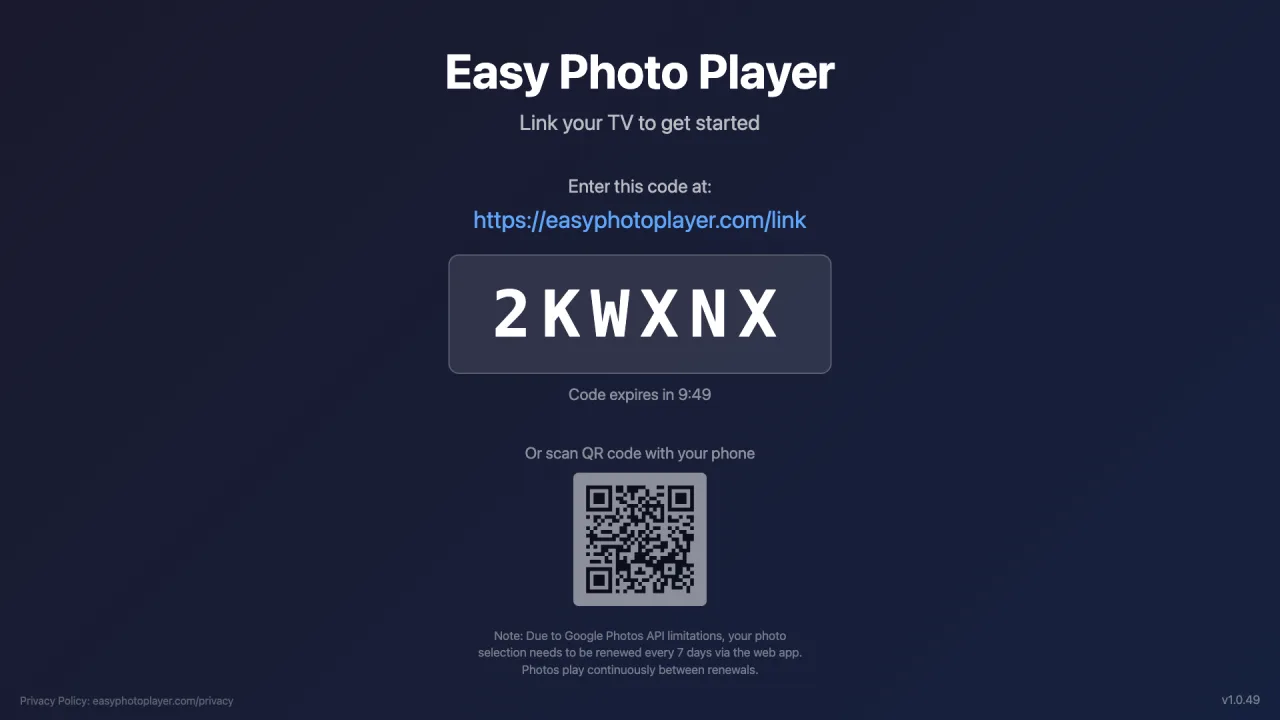
Launch Easy Photo Player. A six-character code appears on the TV screen.
Sign in on easyphotoplayer.com/link
On your phone or computer, go to easyphotoplayer.com/link, sign in with Google, and enter the code from your TV.
Select your photos
Pick the photos and videos you want to display. They start playing on your TV immediately.
Playback controls
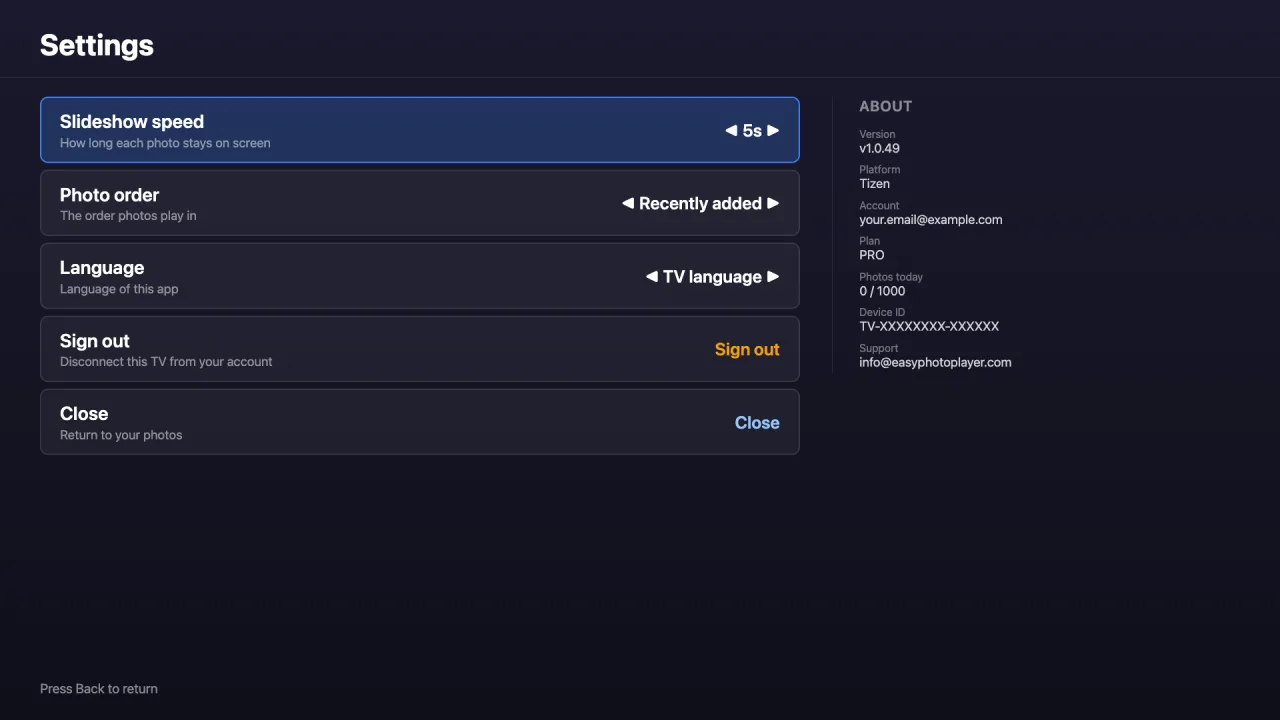
Adjustable slideshow speed
Choose how long each photo stays on screen — 3, 5, 10, 15, or 30 seconds — from the Settings screen.
Jump to any photo
Type a photo's number on your remote to skip straight to it, even in a large library.
Video duration shown
Videos display their total running time as they play, so you always know how long each clip lasts.
Compatible TVs
Easy Photo Player works on the following Samsung models:
- Tizen 2018 and newer (most QLED, Frame, Crystal UHD models)
- Resolution: HD, Full HD, 4K, 8K — auto-detected
- Currently available in the United States Samsung Apps store
- Worldwide release coming soon — currently US only
Troubleshooting
Can't find the app: Make sure your TV is set to the United States region. The app is currently US-only on Samsung. Other regions are coming.
Linking code not appearing: Restart the app. If the problem persists, restart your TV by holding the power button for 10 seconds.
Black screen during slideshow: Some Samsung models have hardware acceleration issues with HEVC video. Photos always work; HEVC videos are skipped automatically.
Frequently Asked Questions
Is Easy Photo Player free on Samsung TV?
Yes, the app is free to install and includes a free plan with 10 views per day. Paid plans raise the quota: Basic (€4.99/month) gets 500 views/day, Pro (€9.99/month) gets 1000 views/day and supports up to 5 TVs.
Does it work on older Samsung TVs?
Easy Photo Player requires Tizen 2018 (4.0) or newer. Older Samsung Smart TVs are not supported because the Chrome version is too old.
Can I use my own photos without Google Photos?
Currently the app only supports Google Photos. We may add other photo sources in the future based on user feedback.
Ready to set up your Samsung TV?
Get started in under five minutes — no extra hardware needed.
Link Your TV