
Accueil › Guides pratiques
Comment afficher Google Photos sur LG webOS TV
Easy Photo Player affiche votre bibliothèque Google Photos sur toute LG Smart TV sous webOS. La configuration prend quelques minutes et utilise votre compte Google existant.
Ce qu'il vous faut
- Une LG Smart TV avec webOS 4.0 ou plus récent (2018+)
- Une connexion internet sur la télé
- Un compte Google avec des photos dans Google Photos
- La LG Magic Remote ou une télécommande standard
Pas à pas
Ouvrez le LG Content Store
Appuyez sur la touche Home et sélectionnez le LG Content Store. Cherchez "Easy Photo Player".
Installez l'app
Sélectionnez Easy Photo Player et choisissez Installer. Le téléchargement prend environ 15 secondes.
Ouvrez l'app et notez le code
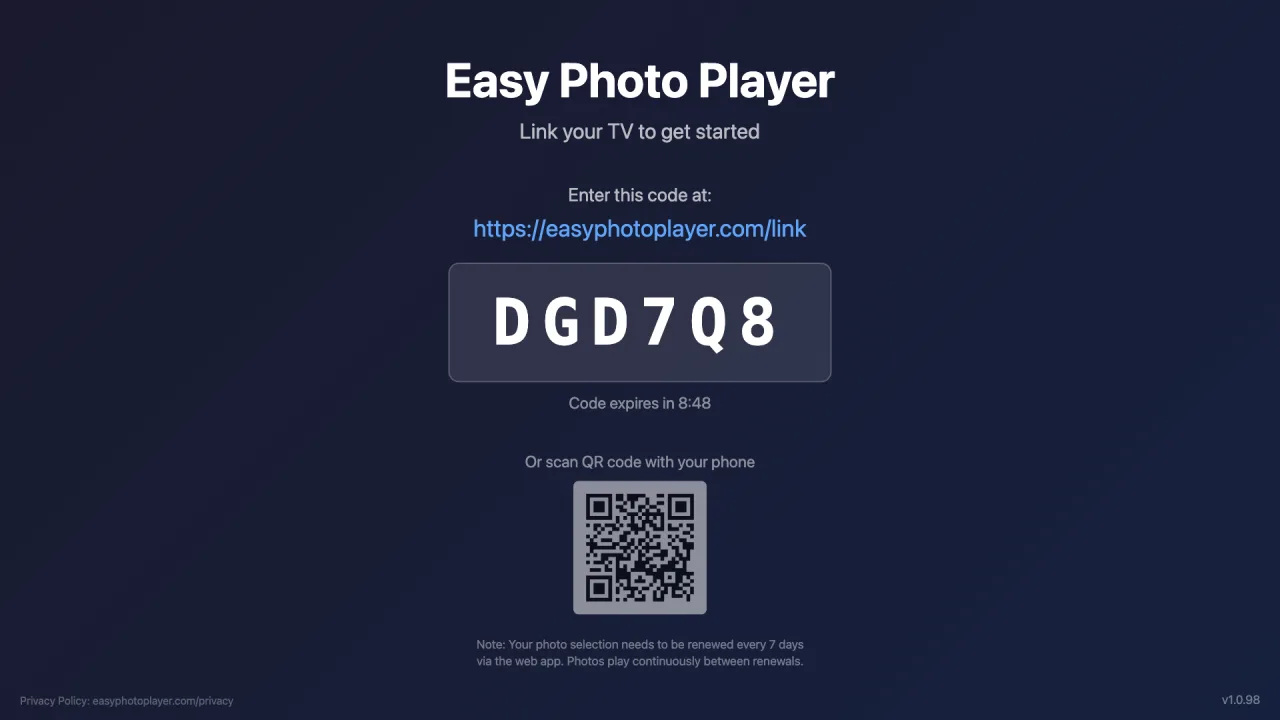
Lancez Easy Photo Player depuis l'écran d'accueil. Un code de liaison à six caractères apparaît.
Liez votre compte Google
Sur votre téléphone ou ordinateur, allez sur easyphotoplayer.com/link, connectez-vous avec Google et entrez le code de la télé.
Choisissez vos photos
Sélectionnez les photos et vidéos à afficher. Elles démarrent instantanément sur votre LG TV.
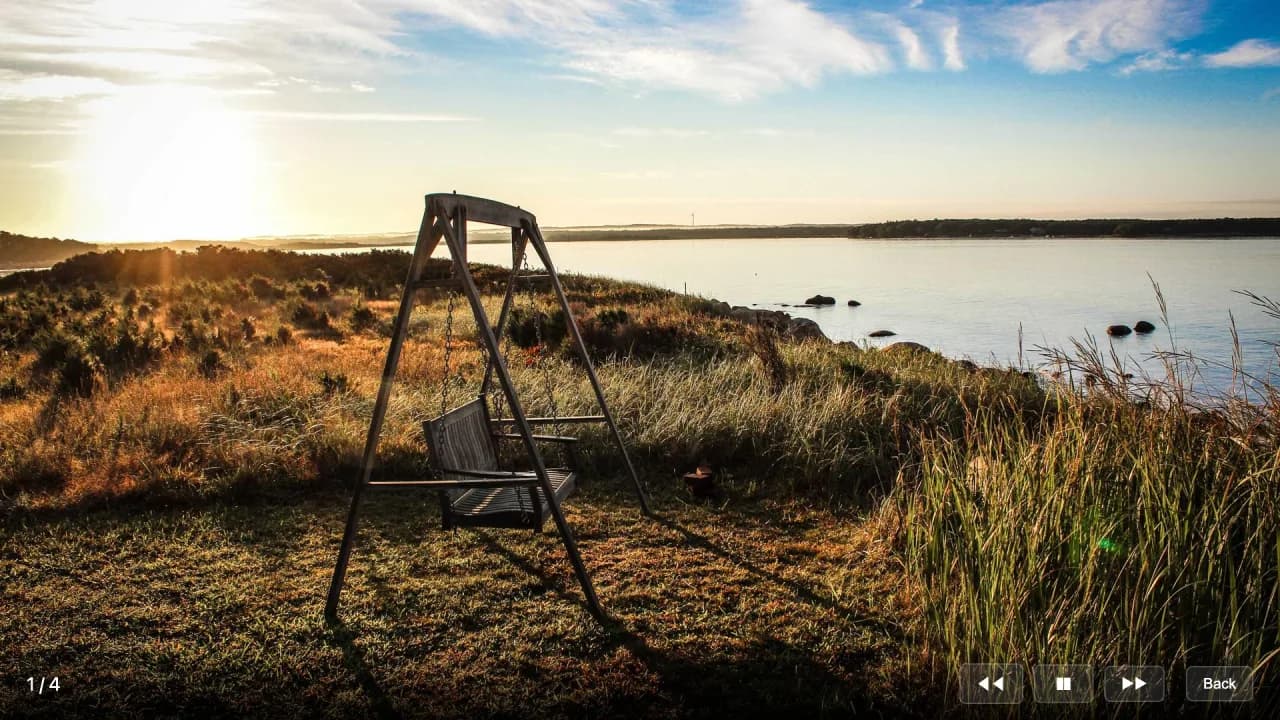
Contrôles de lecture
Vitesse de diaporama réglable
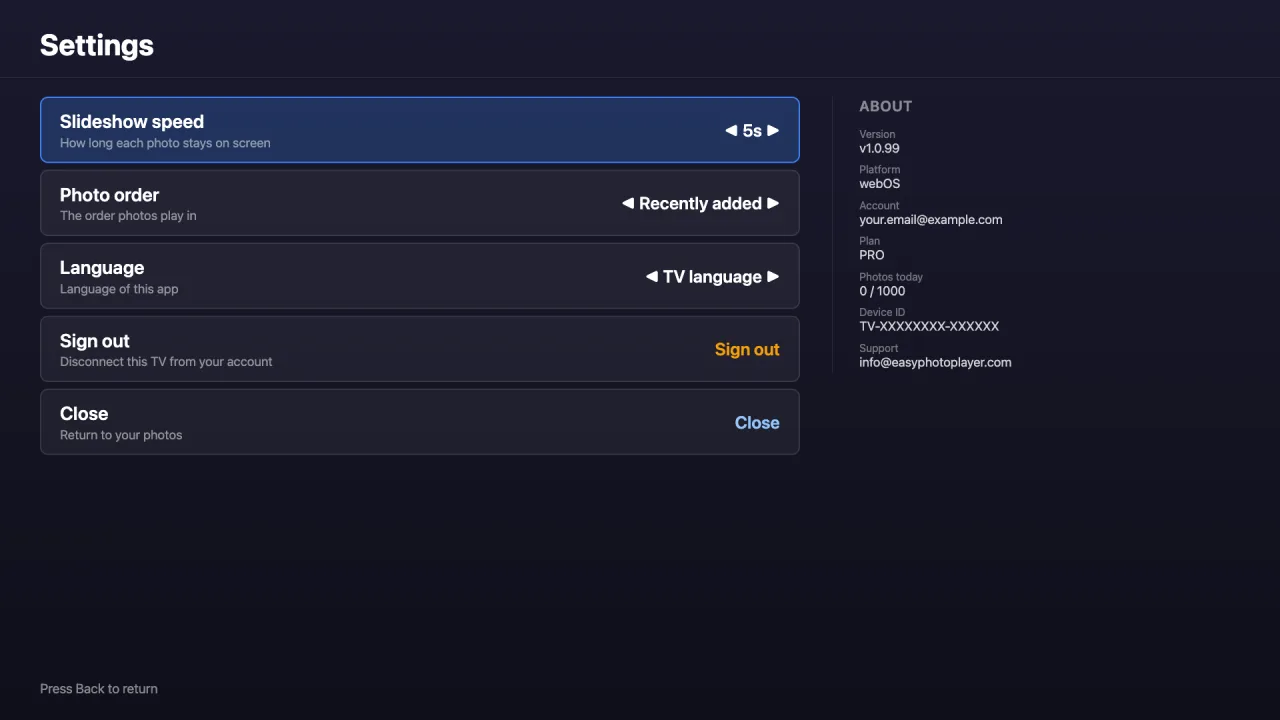
Choisissez la durée d'affichage de chaque photo — 3, 5, 10, 15 ou 30 secondes — depuis l'écran Paramètres.
Aller directement à une photo
Tapez le numéro d'une photo sur votre télécommande pour y accéder directement, même dans une grande bibliothèque.
Durée des vidéos affichée
Les vidéos affichent leur durée totale pendant la lecture, pour que vous sachiez toujours combien de temps dure chaque clip.
Téléviseurs compatibles
Easy Photo Player prend en charge les modèles LG suivants :
- webOS 4.0 et plus récent (modèles 2018 et ultérieurs)
- Toutes résolutions : HD, Full HD, 4K, 8K, OLED
- Disponible sur le LG Content Store
- Compatible de webOS 4.0 à webOS 26
Dépannage
Impossible de trouver l'app dans le Content Store : Vérifiez que votre téléviseur fonctionne sous webOS 4.0 ou plus récent : Paramètres → Tous les paramètres → Général → À propos de ce téléviseur. Les modèles de 2014 à 2017 ne sont pas pris en charge et ne verront pas l'application. Si la recherche ne donne rien, essayez simplement « Easy Photo » : certaines télécommandes perdent des caractères lorsqu'on tape vite.
Le code n'apparaît pas : Fermez et rouvrez l'app. Vérifiez que la télé a accès à internet — ouvrez une autre app web pour tester.
Le diaporama ne démarre pas : Vérifiez que vous avez sélectionné des photos sur easyphotoplayer.com/photos. La télé affiche un écran d'attente tant qu'aucune photo n'est liée.
Questions fréquentes
La version LG d'Easy Photo Player est-elle déjà disponible ?
Oui. Easy Photo Player est sur le LG Content Store pour les téléviseurs équipés de webOS 4.0 ou plus récent. Ouvrez le Content Store depuis l'écran d'accueil de votre téléviseur et recherchez Easy Photo Player.
Fonctionnera-t-il sur ma LG TV plus ancienne ?
Easy Photo Player nécessite webOS 4.0 ou plus récent (2018+). Les LG TV plus anciennes (2014–2017) ne peuvent pas exécuter l'app car leur moteur de navigateur est trop ancien.
Prend-il en charge les écrans 4K et OLED ?
Oui. Easy Photo Player utilise automatiquement la résolution la plus élevée disponible sur votre télé, y compris les dalles 4K et OLED.